Guide · Traffic analytics
How Much Traffic Do Ad Blockers Hide From Your Analytics?
Ad blockers and privacy browsers stop many analytics scripts. How to measure what you miss, why tech audiences lose more, and how to keep revenue complete.
· 3 min read
If your analytics shows fewer visitors than your server logs, ad blockers are a likely reason. Blocklists include many analytics scripts, Google Analytics among them, and browsers like Brave and Firefox's strict mode block trackers by default. How much you lose depends almost entirely on who your visitors are.
Who blocks the most
- Developers and technical audiences block far more than average. A developer tool's blog can lose a large share of visits.
- Desktop users block more than mobile users.
- General consumer audiences block less.
Published averages vary widely between studies, so treat any single number with suspicion. Measure your own.
Measure your own loss
Compare a source the browser can't block with your analytics:
- 1Server or CDN logsCount human page requests for a day, excluding bots
- 2AnalyticsCount pageviews for the same day and pages
- 3CompareThe gap is roughly what blockers and declined consent hide
Use the same pages and the same day, and filter obvious bots from the logs. The comparison isn't exact, but it shows whether you're missing a little or a lot.
What you lose, and what you don't have to
Visitor counts. Blocked visitors aren't counted. That mostly affects totals; trends stay useful if your audience is stable.
Sources for blocked visitors. Their referrers and UTM tags are never recorded.
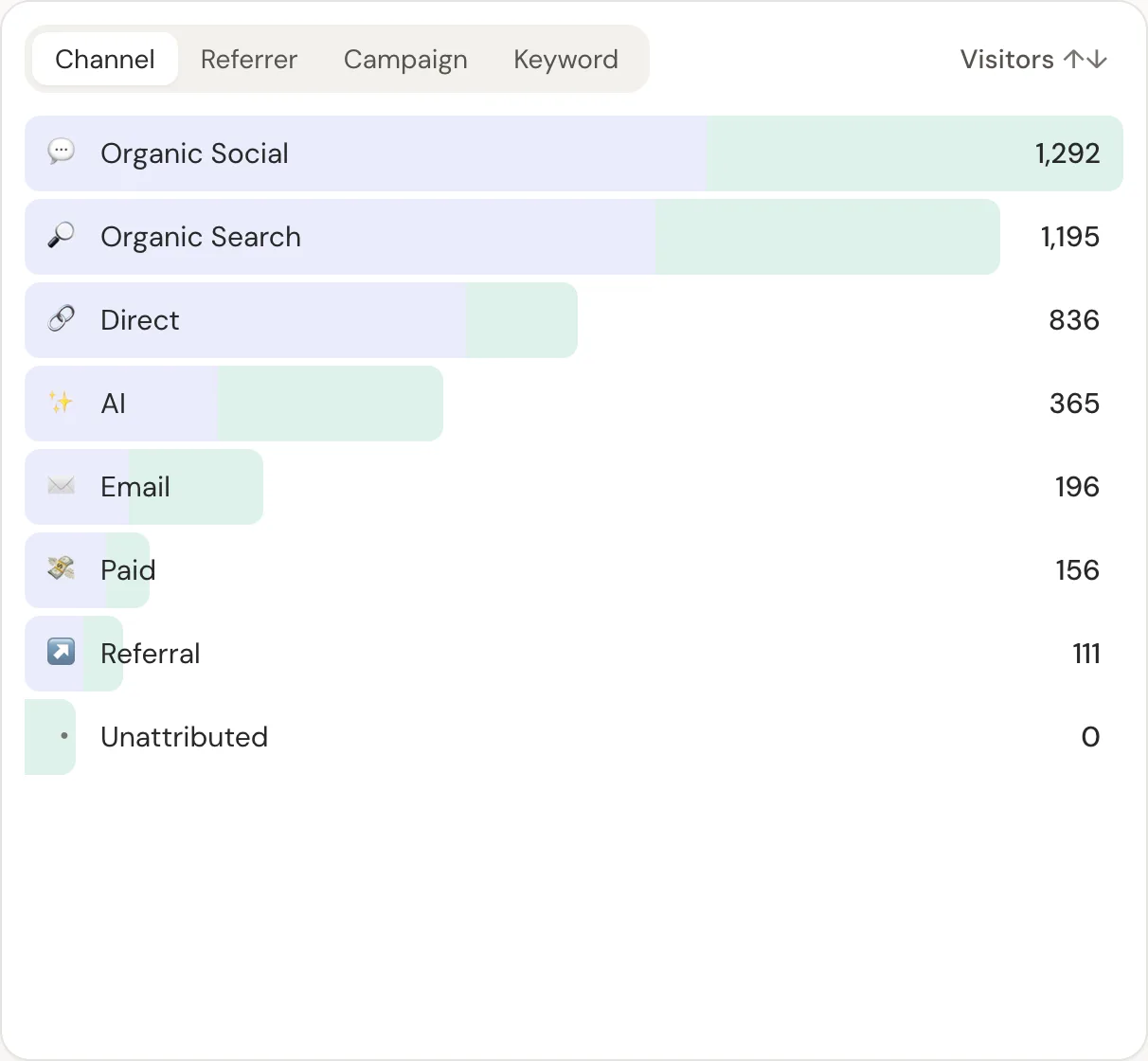
Revenue. This one you don't have to lose. If revenue comes from your payment provider's webhooks rather than a browser pixel, every payment is recorded whether or not the visitor's browser blocked anything. Blocked buyers show as unattributed instead of disappearing. Server side vs client side explains why.
Reducing the gap, fairly
- Serve the script from your domain. Many blockers target known third-party analytics domains. DataFair's
data-apioption sends events through your own proxy. - Avoid losing visitors to banners. A cookieless setup counts visitors who would decline an analytics cookie banner.
- Respect real opt-outs. Global Privacy Control is a clear signal. DataFair honours it by default.
The bigger point
Don't chase 100% visitor counts. Make sure the number you make decisions with, revenue by source, is built on complete payment data, and that unattributed revenue is visible rather than hidden.
Related guide: Revenue analytics: measure what pays, not just what visits.
Questions
- Do ad blockers block Google Analytics?
- Many popular blocklists block Google Analytics, and some browsers block it by default.
- Do ad blockers block privacy-friendly analytics?
- Some do, some don't, and it changes over time. Serving the script from your own domain reduces blocking.
- Will my revenue numbers be wrong if visitors use ad blockers?
- Not if revenue comes from your payment provider's webhooks. Totals stay complete; only the share matched to a source changes.