Comparison · Website builders
Best Analytics for Next.js Apps
Vercel Analytics, GA4, Plausible, PostHog and DataFair for Next.js compared, with how to install each in the App Router and how to get revenue by source.
· 3 min read
Next.js makes adding analytics easy, and the choice depends on what you want to learn: page performance, traffic, product usage or revenue. Here are the main options and how each installs in the App Router.
Vercel Analytics
Built into Vercel: install the @vercel/analytics package and add its component to your root layout. Visitors, pages and referrers in your Vercel dashboard, plus Speed Insights for performance.
Good for: apps hosted on Vercel that want zero setup. Limits: tied to Vercel hosting, and pricing depends on your Vercel plan and event volume. Check Vercel's pricing page.
Google Analytics 4
Next.js's official @next/third-parties package includes a GoogleAnalytics component for the root layout.
Good for: teams using Google Ads. Limits: consent banners in many countries, and complex reports. Why GA4 misses Stripe revenue.
Plausible, Fathom, Umami
Privacy-first tools that install with a script tag through next/script, or community packages. Clean dashboards, cookieless counting.
Good for: marketing sites and blogs.
PostHog
Product analytics with session replay, feature flags and experiments, with a Next.js SDK.
Good for: understanding what users do inside your app.
DataFair
Revenue analytics: visitors, sources and pages, with revenue from your payment provider credited to each source. Install with next/script in the root layout:
import Script from 'next/script';

export default function RootLayout({ children }) {
  return (
    <html lang="en">
      <body>
        {children}
        <Script defer data-website-id="YOUR_WEBSITE_ID" src="https://datafair.dev/js/script.js" strategy="afterInteractive" />
      </body>
    </html>
  );
}
Client-side navigation between pages is tracked automatically as pageviews.
For Stripe Checkout Sessions created in a route handler or server action, pass the visitor id from the browser into the session's metadata. The guide has the code.
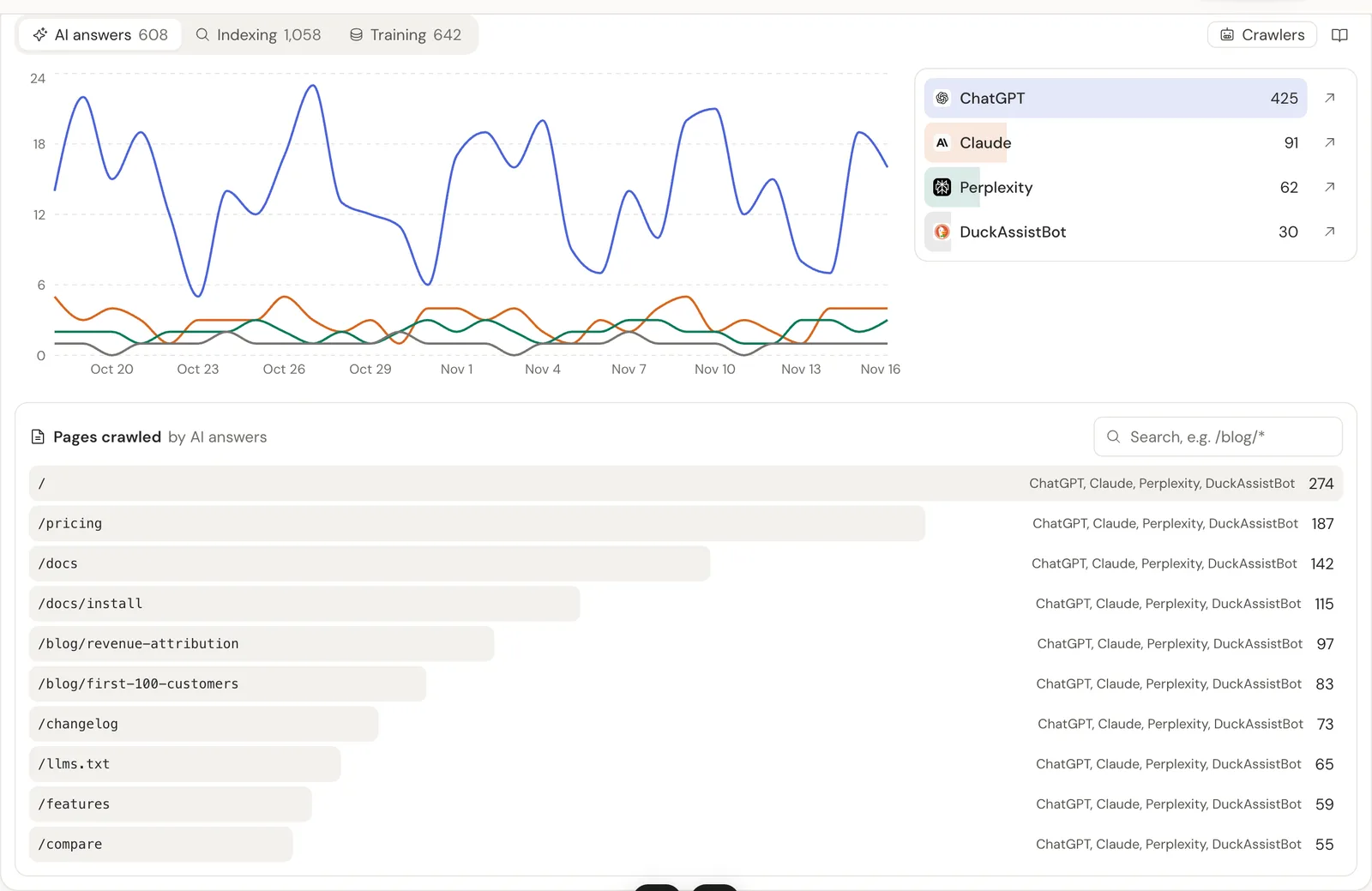
Bonus for Next.js: most AI crawlers never run JavaScript. Report them from middleware.ts with one fetch to DataFair's crawler endpoint, and see which pages ChatGPT, Claude and Perplexity read. The AI crawler list explains each bot.
Comparison
| Vercel Analytics | GA4 | Plausible / Fathom / Umami | PostHog | DataFair | |
|---|---|---|---|---|---|
| Install | Package + component | @next/third-parties | Script | SDK | Script |
| Revenue by source | No | With purchase events | From values you send | From events you send | From provider webhooks |
| Product analytics | No | Some | No | Yes | Goals and funnels |
| AI crawler tracking | No | No | No | No | Yes, via middleware |
Related guide: Revenue analytics: measure what pays, not just what visits.
Questions
- What is the best analytics for Next.js?
- It depends on the question: Vercel Analytics for zero-setup traffic on Vercel, PostHog for product usage, GA4 for Google Ads, and a revenue analytics tool for which channels bring paying customers.
- Does DataFair track client-side navigation in Next.js?
- Yes. Single page app navigations are counted as pageviews.
- Do I need a package to add DataFair to Next.js?
- No. Use next/script with the DataFair script tag in your root layout.