Guide · Traffic analytics
How to Track Website Visitors (and What You Can and Can't See)
How to see how many people visit your website, where they come from and what they do, the options from free to paid, and what privacy rules mean you can't see.
· 3 min read
"How many people visit my website, and who are they?" It's the first analytics question everyone asks. You can answer most of it in ten minutes. A part of it, the "who", you mostly can't and shouldn't. Here is what's possible.
What you can see about visitors
With any analytics tool installed:
- How many visitors, visits and pageviews, by day
- Where they came from: search engines, social sites, newsletters, AI assistants, other websites, campaigns
- Which pages they land on and read
- Where they are, by country and often region or city
- What they use: device, browser, operating system
- What they do: signups, clicks and purchases you track as goals
- Who is on the site right now, with a live view
What you can't see
- Names or emails of anonymous visitors. Not without them telling you, by signing up or buying.
- The exact person behind an IP address. Privacy-friendly tools don't store IP addresses at all.
- Every source. Clicks from email apps, chat apps and some AI apps arrive with no referrer and show as direct traffic.
"Visitor identification" tools that promise company names work by matching IP addresses to businesses. That works for some B2B office traffic, misses remote workers, and raises privacy questions in many countries.
Your options
Your host or website builder's stats. Many hosts and builders (Carrd, Framer, Lovable, Wix) show basic counts. Fine for a first look, usually without sources in depth or revenue.
Google Analytics 4. Free and powerful, but needs a consent banner in many countries and takes time to learn.
Privacy-friendly analytics. Plausible, Fathom, Umami and others: simple dashboards, often cookieless.
Revenue analytics. Tools such as DataFair add the question that matters for a business: which visitors paid, and where did they come from? How that works.
Set up tracking in ten minutes
- Pick a tool and add your website.
- Paste its script into your site's
<head>(most builders have a "custom code" or "head code" setting). - Open your site once and check that the visit appears in the live view.
- Tag links you share with UTM parameters so they keep their source.
- Add one or two goals, such as "signup" or "checkout".
With DataFair, that script is one line:
<script defer data-website-id="YOUR_WEBSITE_ID" src="https://datafair.dev/js/script.js"></script>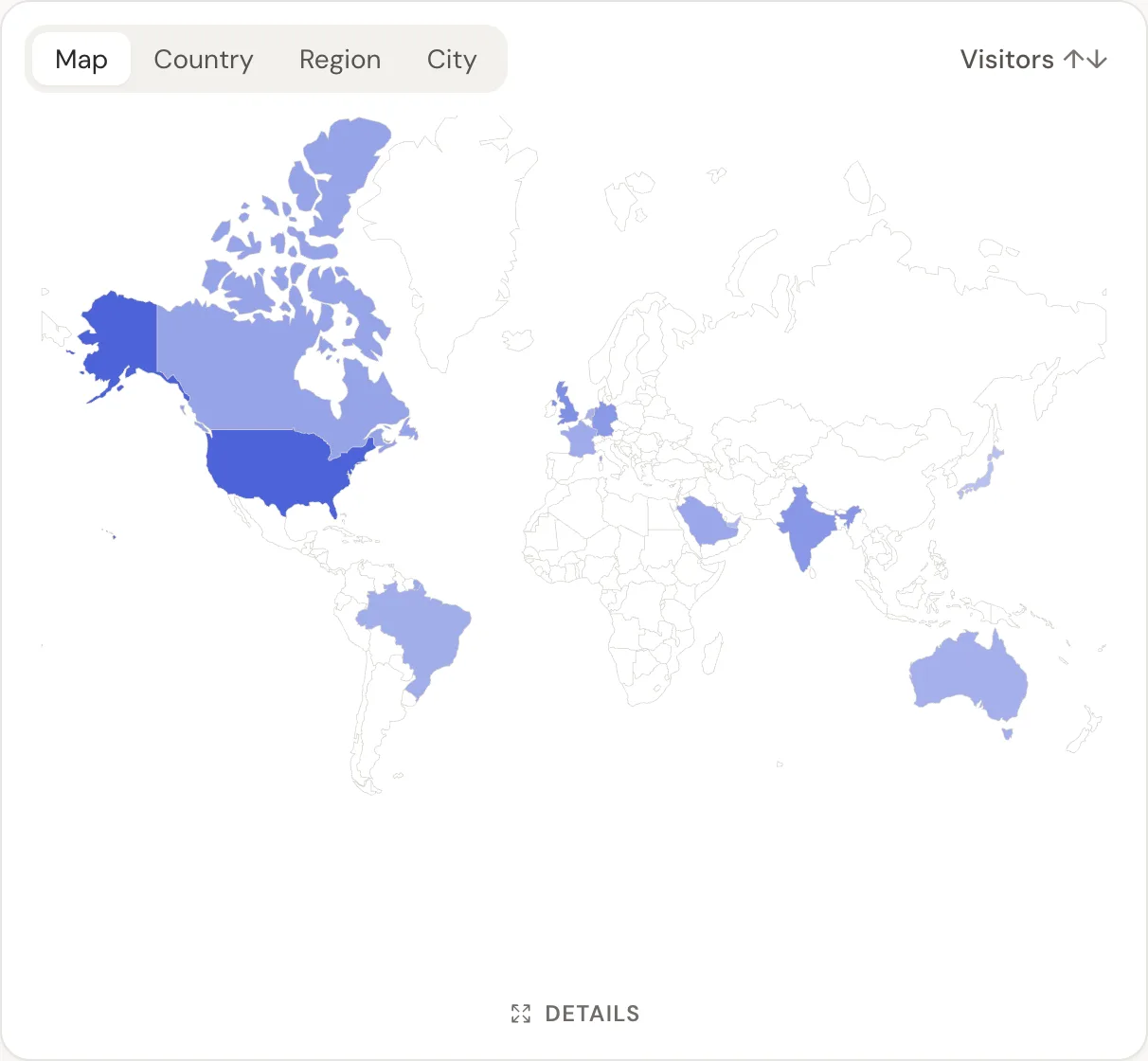
What to look at first
Don't start with every report. Start with the KPIs that matter for a small business: visitors, top sources, top pages, conversion rate and revenue per visitor.
Related guide: Revenue analytics: measure what pays, not just what visits.
Questions
- Can I see who visits my website?
- You can see how many people visit, where from, and what they do. You can't see names or emails of anonymous visitors unless they sign up or buy.
- How do I check my website's visitors for free?
- Google Analytics 4 is free, and many website builders show basic visitor counts. Umami's cloud has a free plan for small sites.
- Does tracking visitors need a cookie banner?
- It depends on the tool and your jurisdiction. Cookieless tools often avoid the analytics part of the banner question; check with your adviser.