Comparison · Stripe
Best Stripe Analytics Tools for Founders in 2026
Stripe analytics tools fall into two groups, subscription metrics and revenue attribution. Here is which one answers which question, and how to choose.
· 3 min read

"Stripe analytics" means two different jobs, and most tools do only one of them well. Before comparing names, decide which question you need answered.
Two kinds of Stripe analytics
1. Subscription metrics. MRR, churn, lifetime value, cohorts, forecasts. The question: *how healthy is the business?* These tools read your Stripe subscriptions.
2. Revenue attribution. Revenue by traffic source, page and campaign. The question: *which marketing brings paying customers?* These tools join Stripe payments to your website visits.
A subscription metrics tool can't tell you that your newsletter outsells Google. An attribution tool won't give you a cohort retention chart. Many teams use Stripe's own dashboard for the first job and a dedicated tool for the second.
Stripe's own dashboard
Best for: payments, payouts, disputes, and with Stripe Billing, MRR and churn.
It's the source of truth for money and costs nothing extra. It can't connect payments to traffic. What it shows and what it doesn't.
Subscription metrics tools
Tools such as Baremetrics and ChartMogul connect to Stripe and turn subscriptions into SaaS metrics: MRR movements, churn, LTV, cohorts and forecasting. They're the right pick if your board or investors ask for those numbers every month.
They don't see your website, so they won't attribute revenue to channels. Prices and plans change often; check their pricing pages directly.
Revenue attribution tools
DataFair and DataFast put Stripe revenue next to your web analytics: visitors, sources, pages and campaigns, with revenue per channel.
| DataFair | DataFast | |
|---|---|---|
| Stripe revenue by source, page and campaign | Yes | Yes |
| Other providers | 10 more (Lemon Squeezy, Paddle, Shopify, PayPal...) plus an API | Several, see their site |
| Recurring revenue by source | Yes | Check their site |
| AI crawler tracking | Yes | Check their site |
| Starting price (checked November 2026) | $5.99 a month at launch, 2 websites | $9 a month, 1 website |
| Price over time | Falls for every customer as more organizations join | Fixed plan prices |
We make DataFair, so weigh our view accordingly. DataFast is a good product, and our detailed comparison says where each one fits.
Google Analytics 4 can also attribute Stripe revenue if you send purchase events from your server. It's free, but the setup is real engineering, and renewals and refunds need extra work. Why GA4 misses Stripe sales.
How to choose
- "Are we growing, and are customers staying?" Stripe's dashboard, then a subscription metrics tool if you need cohorts and forecasts.
- "Where should I spend my marketing time?" A revenue attribution tool.
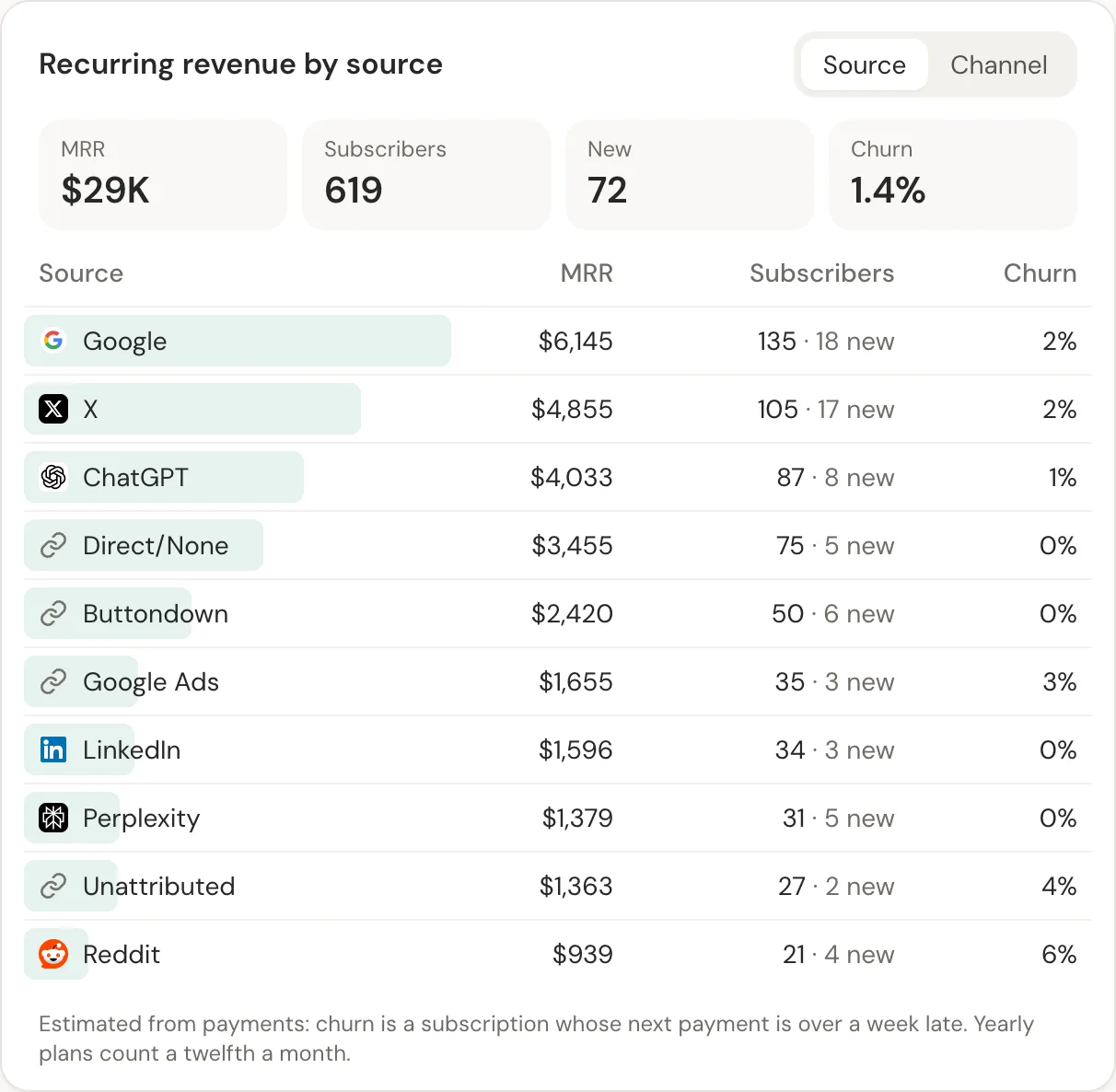
- Both, on a small budget: Stripe's dashboard for metrics, plus an attribution tool for sources. DataFair also estimates MRR and churn by source, which covers a lot of the first job.
Related guide: Stripe revenue attribution.
Questions
- Is there a free Stripe analytics tool?
- Stripe's own dashboard is included with your account. Google Analytics 4 is free but needs server-side purchase events to count Stripe sales reliably.
- Can one tool do subscription metrics and attribution?
- Partly. DataFair estimates MRR, new subscribers and churn by source from payments. For detailed cohort analysis and forecasting, a dedicated subscription metrics tool goes further.
- Do these tools need my Stripe API key?
- Subscription metrics tools usually connect with Stripe's OAuth or an API key. DataFair only needs a webhook and its signing secret.