Guide · Stripe
The Stripe Analytics Dashboard: What It Shows and What It Doesn't
Stripe's dashboard is great for payments, MRR and churn. It can't tell you which marketing channel brought each customer. Here is how to fill that gap.
· 3 min read

If you sell with Stripe, its dashboard is probably the first tab you open each morning. It's very good at what it was built for: money that has already arrived. It's blind to the part before checkout, which is where your marketing decisions live.
What the Stripe dashboard does well
- Payments and balances: gross volume, net volume, payouts, fees.
- Billing metrics: with Stripe Billing, MRR, subscriber counts, churn and trial conversions.
- Customers: who paid, how much, how often, in which country.
- Disputes and refunds: what went wrong and how much it cost.
- Reports and Sigma: exports and SQL over your Stripe data for deeper analysis.
For finance questions, it's the source of truth. Keep using it.
What it can't answer
Stripe sees a customer at checkout. Everything before that happened on your website, which Stripe doesn't track. So it can't tell you:
- Which traffic source brought a customer (Google, a newsletter, X, ChatGPT)
- Which landing page or blog post led to the sale
- Which campaign paid for itself
- Your revenue per visitor by channel, because Stripe has no visitor count
Payment Links can carry UTM parameters, and Stripe shows them on the payment. That helps for links you tag yourself, but it covers only those links and only Payment Links. More on that here.
Joining Stripe to your traffic
To fill the gap, something has to connect the visit to the payment:
- 1VisitYour analytics records the source and a visitor id
- 2CheckoutThe id goes into the Checkout Session's metadata, or the Payment Link is tagged
- 3WebhookStripe sends checkout.session.completed, invoice.paid and refunds
- 4ReportEach payment is credited to the visit's source
DataFair does this with one script tag and one Stripe webhook. Payment Links on your pages are tagged automatically. For Checkout Sessions you create on your server, you add df_visitor_id and df_session_id to the metadata. The step-by-step guide covers both.
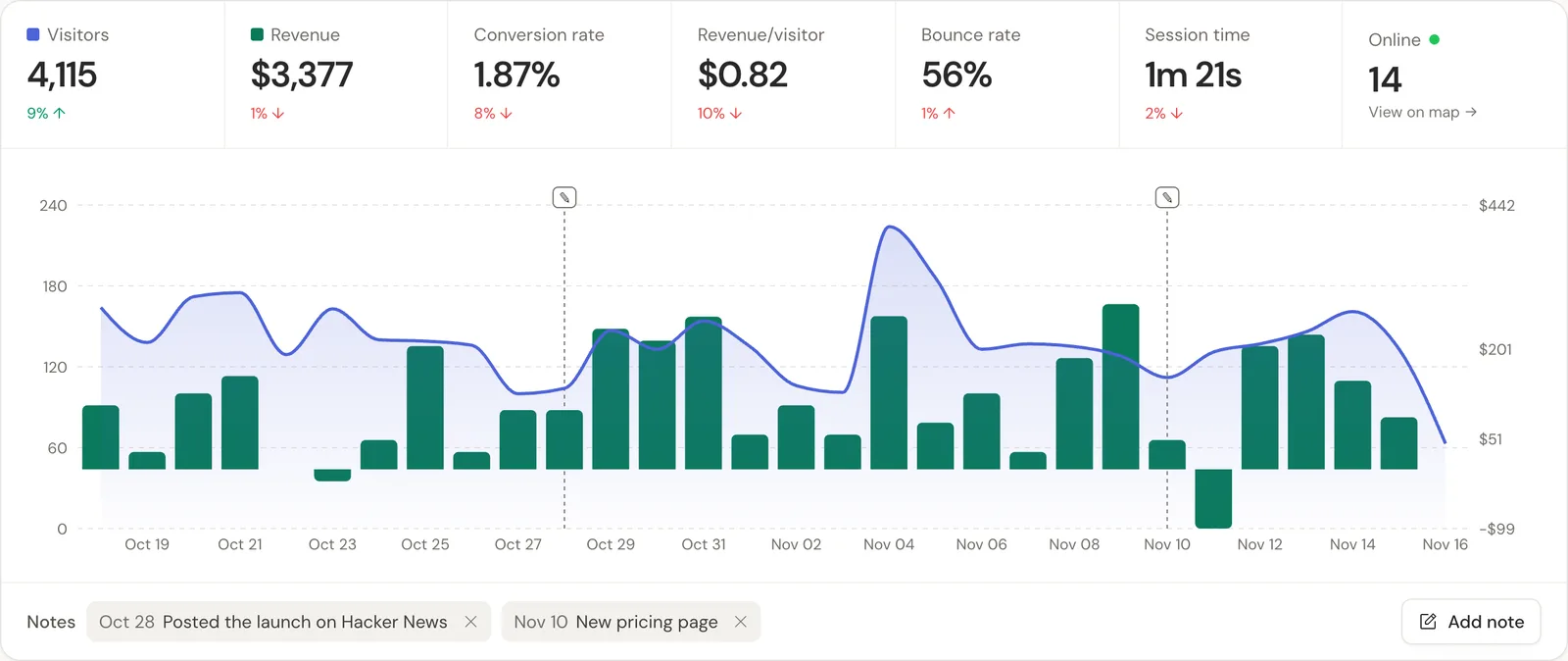
Stripe plus DataFair, side by side
| Question | Stripe dashboard | DataFair |
|---|---|---|
| How much did we make this month? | Exact | Yes, from Stripe's webhooks |
| What is our MRR and churn? | Exact, with Billing | Estimated, by source |
| Which channel brought the most revenue? | No | Yes |
| Which blog post leads to sales? | No | Yes, by landing page |
| Revenue per visitor by channel | No | Yes |
They answer different questions. Use Stripe for the books and DataFair for where the money came from.
Related guide: Stripe revenue attribution.
Questions
- Can Stripe show where my customers came from?
- Only partly. Payment Links can record UTM parameters you add to the link. For other checkouts and for organic traffic, you need web analytics joined to the payment.
- Does DataFair replace the Stripe dashboard?
- No. Stripe stays the record for payments, payouts and exact subscription status. DataFair adds the marketing side: sources, pages and campaigns next to revenue.
- Does connecting Stripe give DataFair access to my account?
- No API key is needed. DataFair receives the webhook events you choose, checked with Stripe's signing secret.