Guide · Website builders
Does Carrd Have Analytics? How to Track a Carrd Site
Carrd's Pro plans let you add analytics with a tracking ID or head code. Here is how to set it up, and how to see which visitors buy from a Carrd landing page.
· 3 min read
Carrd is the quickest way to put a one-page site online, and many indie products launch on it. Analytics is a Pro feature: Carrd's Pro plans let you connect an analytics tool, either through a tracking ID field for Google Analytics or by adding your own code. The free plan doesn't allow custom code.
Option 1: Google Analytics through Carrd's setting
On a Pro plan, Carrd's site settings include a field for a Google Analytics tracking ID. Paste your GA4 Measurement ID and publish.
Good for: quick setup if you already use GA4. Limits: GA4 needs a consent banner in many countries, and for a one-page site its reports are more than you need.
Option 2: any analytics tool through head code
On a Pro plan that includes embeds, add your analytics script to the Head code section of your site's settings, then publish. This works for Plausible, Fathom, Umami, DataFair and most others.
For DataFair:
<script defer data-website-id="YOUR_WEBSITE_ID" src="https://datafair.dev/js/script.js"></script>Carrd plan names and which features each includes change from time to time, so check Carrd's current Pro plans for "embeds" or custom code before upgrading.
What to track on a Carrd page
A one-page site has one job, usually a signup or a purchase. Track that:
- Clicks to your checkout. DataFair records outbound clicks automatically, so clicks on your buy button show up without extra setup.
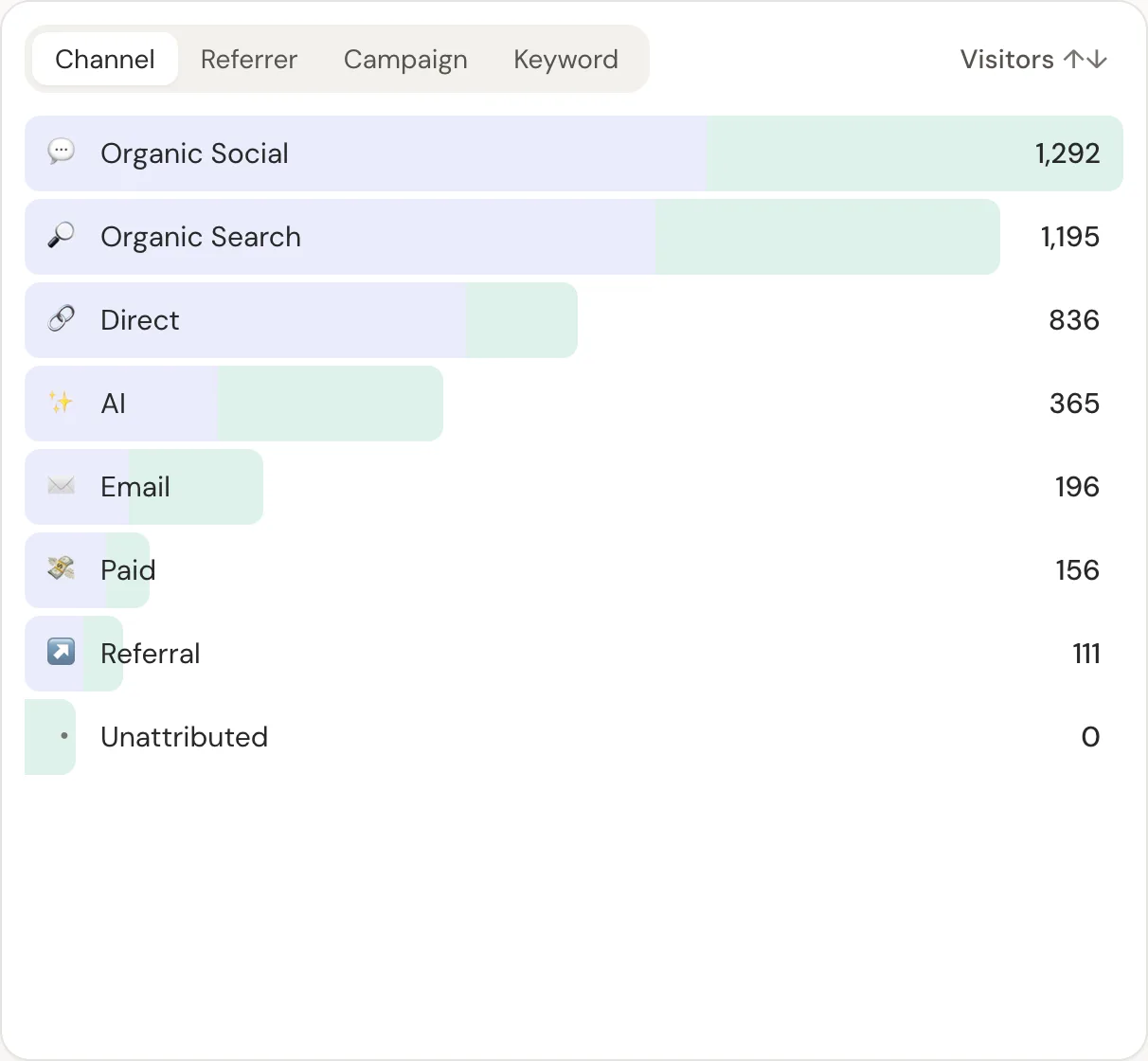
- Sources. Tag links you share on X, Product Hunt and newsletters with UTM parameters. How UTM parameters work.
Selling from Carrd? Track revenue, not clicks
Many Carrd sites link to a Stripe Payment Link, Gumroad, Lemon Squeezy or Polar checkout. Clicks don't tell you what sold. Payments do.
With the DataFair script in your head code, links on your page to Stripe Payment Links, Gumroad, Lemon Squeezy, Creem and Dodo Payments checkouts are tagged with the visitor's id automatically. Connect your payment provider with one webhook, and each sale appears under the source that brought the buyer.
- 1Visitor lands on your Carrd pageDataFair records the source
- 2Clicks your buy buttonThe checkout link carries the visitor id
- 3Pays on Stripe, Gumroad or Lemon SqueezyThe provider sends a webhook
- 4Revenue appears by sourceProduct Hunt, X, newsletter, search
Guides for each: Stripe Payment Links, Gumroad, Lemon Squeezy.
Related guide: Revenue analytics: measure what pays, not just what visits.
Questions
- Does Carrd have built-in analytics?
- Carrd's Pro plans let you connect analytics tools, with a Google Analytics tracking ID field and custom head code on plans that include embeds. Check Carrd's current plans for details.
- Can I add analytics to Carrd's free plan?
- Custom code isn't available on the free plan, so you need a Pro plan to add an analytics script.
- Does DataFair work with Carrd?
- Yes. Paste the DataFair script into your site's head code on a Carrd Pro plan that allows embeds.