Guide · Revenue attribution
Revenue Per Visitor: Formula, Benchmarks and How to Use It
How to calculate revenue per visitor, why it beats conversion rate for comparing channels, and what the published benchmarks do and don't tell you.
· 3 min read

Revenue per visitor (RPV) is the single most useful number for deciding where to spend your marketing time. It combines how many people convert with how much they pay, so a small channel and a big one can be compared on one line.
The formula
Revenue per visitor = Revenue ÷ Unique visitors
Example: $3,377 of revenue from 4,115 visitors = $0.82 per visitor
Use the same period and the same scope for both numbers. If revenue covers 30 days, visitors must cover the same 30 days. If revenue is for one website, visitors are for that website.
The example uses numbers from DataFair's live demo at the time of writing. The demo runs on sample data.
Revenue per visitor by channel
The overall RPV tells you how your site performs. The per-channel RPV tells you where to put effort:
| Channel | Visitors | Revenue | Revenue per visitor |
|---|---|---|---|
| Organic search | 1,200 | $960 | $0.80 |
| Newsletter | 200 | $540 | $2.70 |
| 1,300 | $260 | $0.20 |
*Example numbers, to show the method.*
Reddit sends the most people. The newsletter earns 13 times more per visitor. That is a reason to grow the list, and it never shows up in a traffic report.
To get this table you need revenue attributed to each source. This guide covers how that works.
Why not just use conversion rate?
Conversion rate counts buyers, not money. Two channels with a 2% conversion rate are not equal if one sells $9 monthly plans and the other sells $299 yearly plans. RPV includes both effects:
Revenue per visitor = Conversion rate × Average order value
2% conversion × $41 average order = $0.82 per visitor
When RPV moves, check which part moved. A price change shifts order value, a landing page change shifts conversion.
What is a good revenue per visitor?
There is no universal benchmark, because RPV depends on price, business model and how you count visitors. The one public dataset we know of, from BigIdeasDB, reports medians from about $0.08 for companies under $100 of monthly recurring revenue to $1.98 for companies between $10,000 and $50,000 (source). It's a vendor dataset, so treat it as a rough guide.
The more useful benchmark is your own trend:
- Compare each channel with your site average.
- Compare this month with the last three.
- Watch new channels for 30 days before judging them.
Common mistakes
- Mixing gross and net revenue. Decide whether refunds come off, and stick to it.
- Counting sessions instead of visitors. RPV per session is a different number, usually lower.
- Ignoring unattributed revenue. If a third of your payments have no source, per-channel RPV is understated for every channel.
- Judging on a few days. One big order can triple a small channel's RPV for a week.
Recurring revenue changes the picture
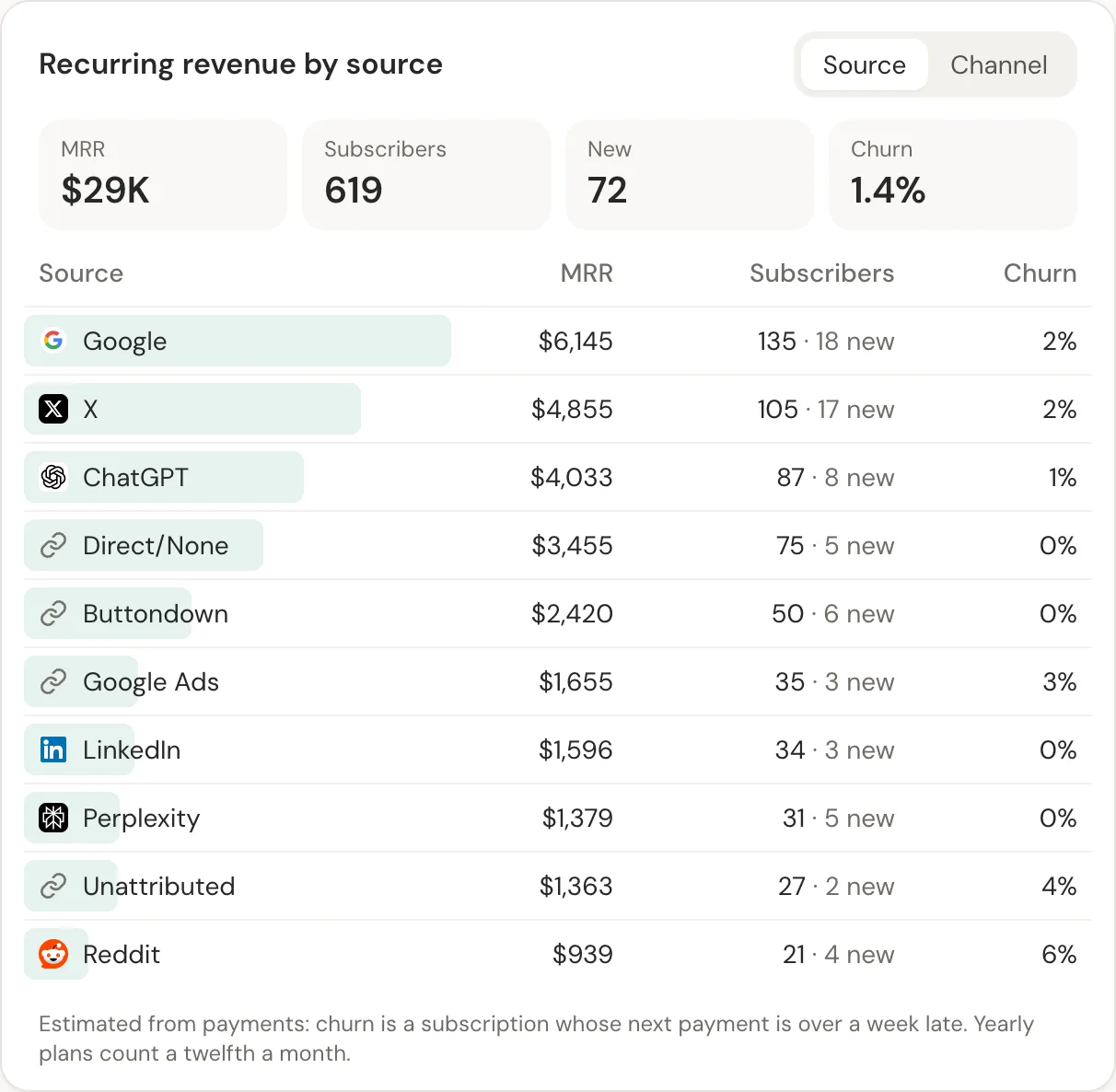
For subscriptions, the first payment understates a channel that brings customers who stay. Pair RPV with recurring revenue by channel, which shows MRR and churn per source.
Related guide: Revenue analytics: measure what pays, not just what visits.
Questions
- Is revenue per visitor the same as ARPU?
- No. ARPU divides revenue by paying users. Revenue per visitor divides it by everyone who visited, buyers or not, which makes it a measure of traffic quality.
- Should I use unique visitors or sessions?
- Unique visitors, for comparing channels. A channel that brings people back often would otherwise look worse than it is.
- How do I calculate revenue per visitor in Google Analytics 4?
- Divide purchase revenue by total users in an exploration with session source as the dimension. It only works if GA4 records every purchase, which is often not the case for payments taken on another domain.