Guide · Revenue attribution
Which Blog Posts Make Money? Measuring Revenue per Article
Pageviews don't pay. How to find the articles that lead to signups and sales, using landing-page revenue, and what to write more of once you know.
· 3 min read

Every content team has a "top posts" list sorted by pageviews. It's usually the wrong list. The post with the most traffic is often a broad explainer read by students and competitors. The post that pays is often a narrow comparison or how-to with a fraction of the views.
The metric: revenue per landing page
Credit each payment to the page where the buyer's visit began (the landing page), then compare pages:
Article revenue per visitor = Revenue from visits that landed on the article ÷ Visitors who landed on it
Example: $640 from 800 visitors = $0.80 per visitor
Landing page is the fair choice for content: it's the article that brought the person to you. The revenue per visitor guide covers the general version.
What you'll typically find
| Article type | Traffic | Revenue per visitor |
|---|---|---|
| Broad explainers ("what is X") | High | Low |
| Comparisons ("X vs Y", "X alternative") | Medium | High |
| How-tos for your product's job | Medium | High |
| News and opinion | Spiky | Low |
*Typical patterns, not benchmarks. Check your own numbers.*
How to set it up
- Track landing pages with any analytics tool.
- Connect payments so each sale is credited to a visit. How revenue attribution works.
- Read the pages report sorted by revenue, then by revenue per visitor, over at least 60 days. Content sells slowly.
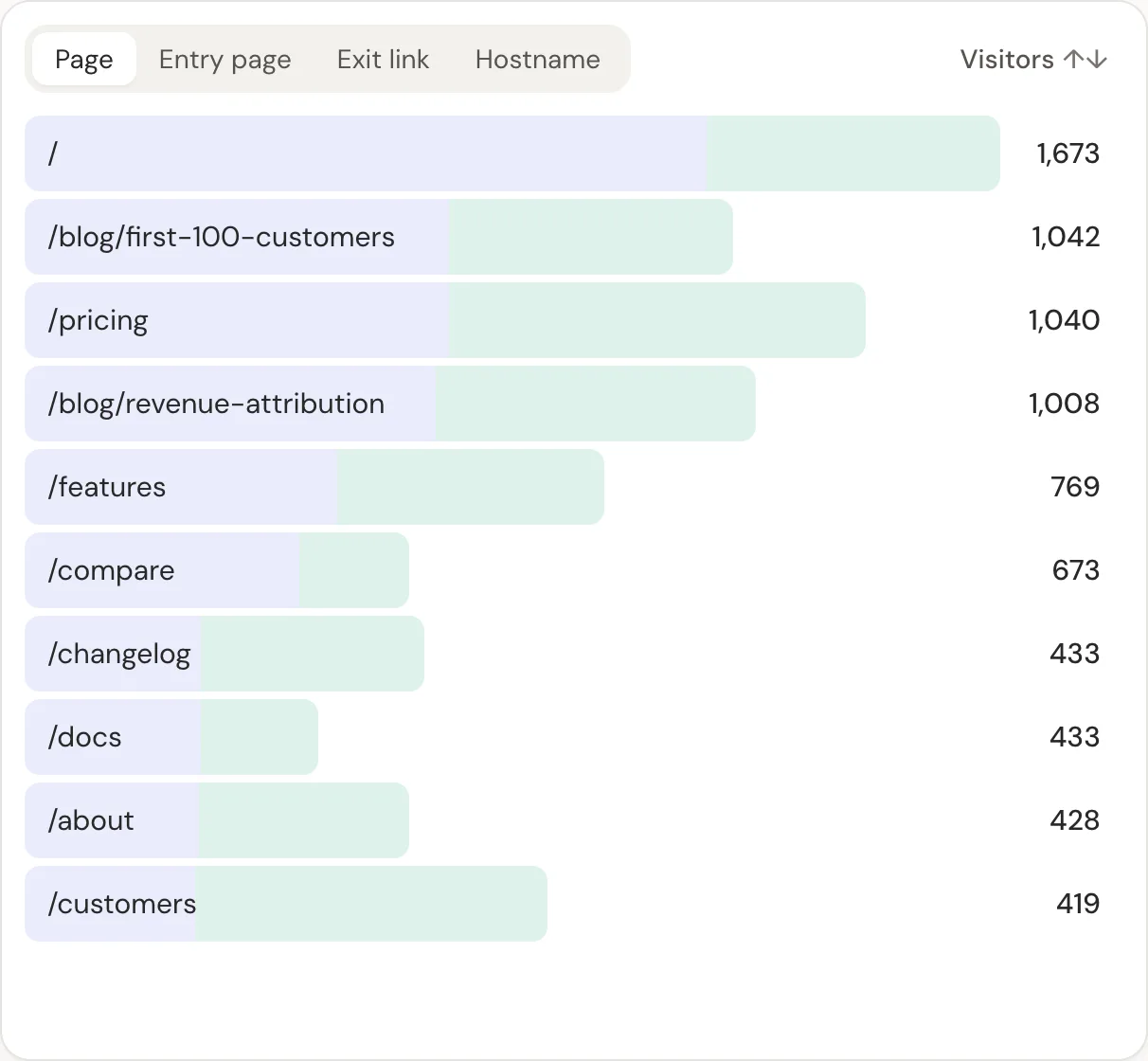
In DataFair, the pages report has entry pages (landing pages) with revenue next to each, and filtering by page shows which sources brought those readers.
What to do with the answer
- Write more of what pays. If comparison posts lead, write the next five comparisons on your list.
- Improve the high-traffic, low-revenue posts. Add a clear next step that fits the reader: a related how-to, a tool, a demo. Don't bolt a hard sell onto a beginner's explainer.
- Update the earners. Refresh prices, screenshots and dates on the posts that bring revenue, and keep them accurate.
- Promote by revenue, not views. Link to the earning posts from your newsletter and social profiles. Then check which channels send their best readers.
A note on long buying cycles
If your product takes weeks to buy, the landing page of the final visit may not be the article that started it. Look at two views together: revenue by landing page (what brings buyers back) and signups by landing page (what starts the journey).
Related guide: Revenue analytics: measure what pays, not just what visits.
Questions
- How do I know which blog post led to a sale?
- Credit each sale to the landing page of the visit it's attributed to, then compare revenue and revenue per visitor by page.
- Should I delete blog posts that don't make money?
- Not automatically. Some posts bring readers who buy later or link to you. Improve their next step first, and merge thin posts that compete with each other.
- How long should I wait before judging an article?
- At least 60 days for search traffic, longer for products with long buying cycles.